Students
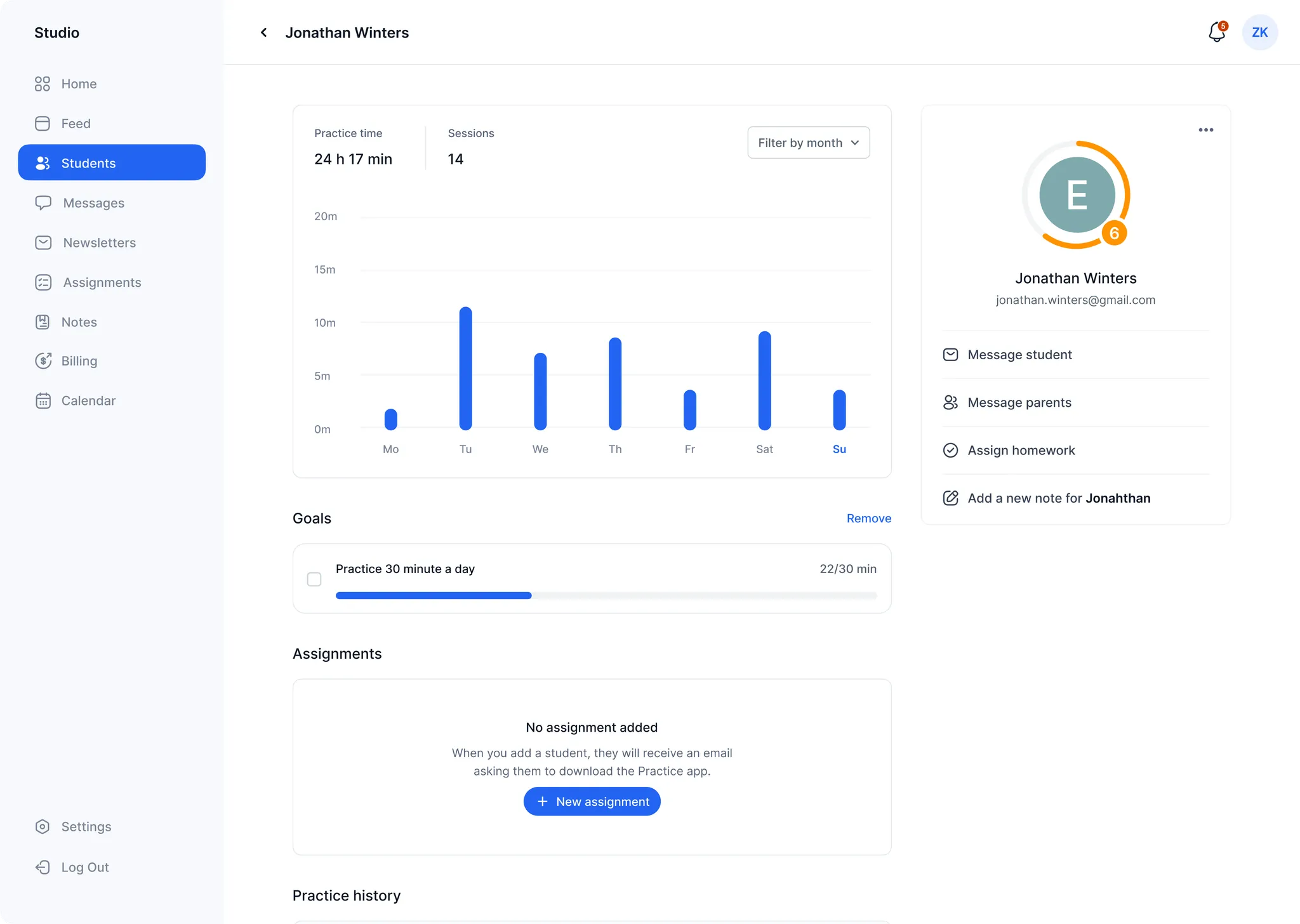
The students page lists all students in your class and offers a way to preview practice activity quickly at a glance.
- Create groups of students within a class to better organize activity in large classes
- Tap any student to visit their profile page for more granular data
- Order students alphabetically or by most recent activity
Groups
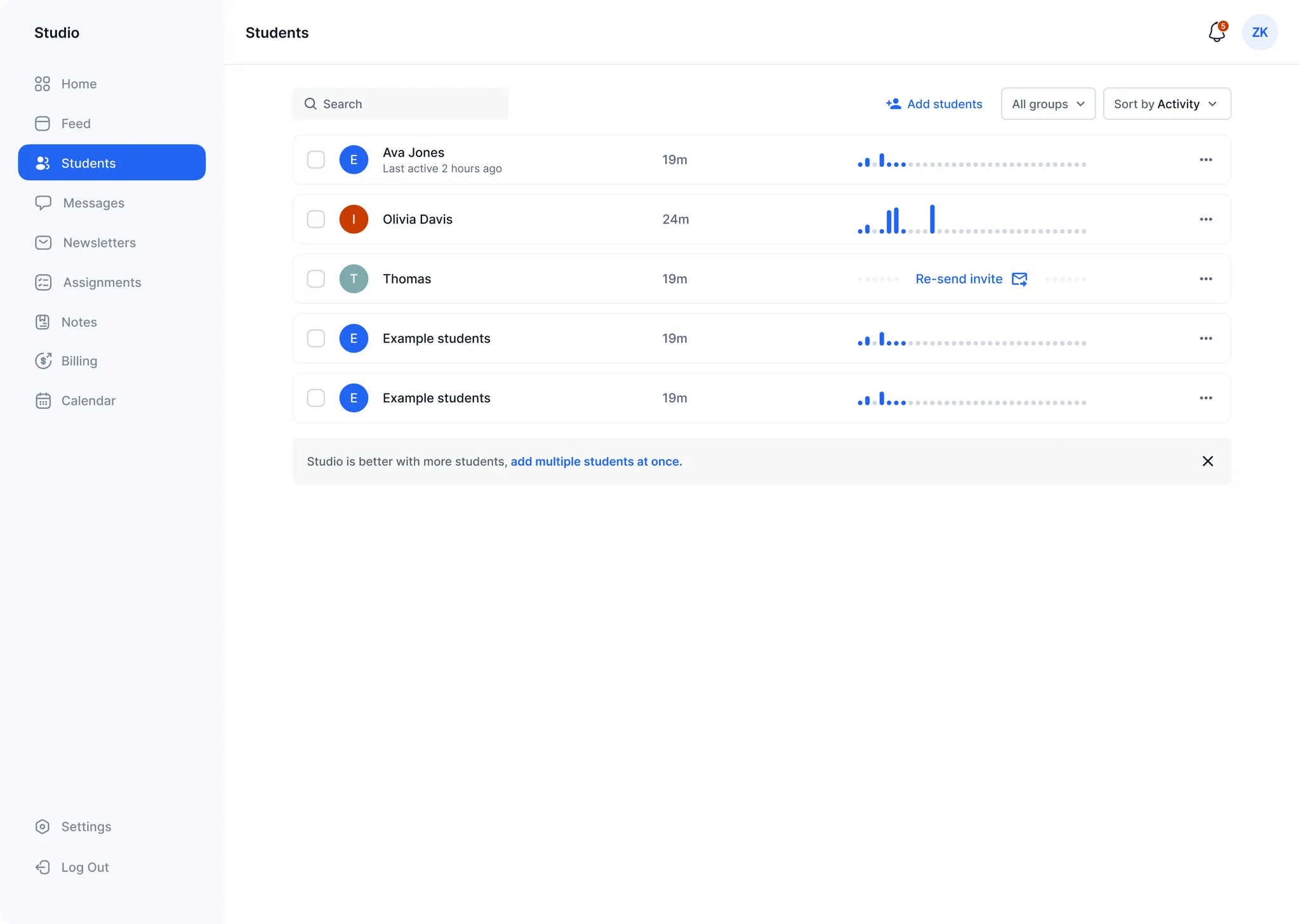
For classes with many students or to keep things organized, you may assign students into groups — for example "strings" and "winds" or "beginners" and "advanced". A student may be in more than one group. Once you've created a group, you can filter the student list by group and create notes or homework for an entire group at once.
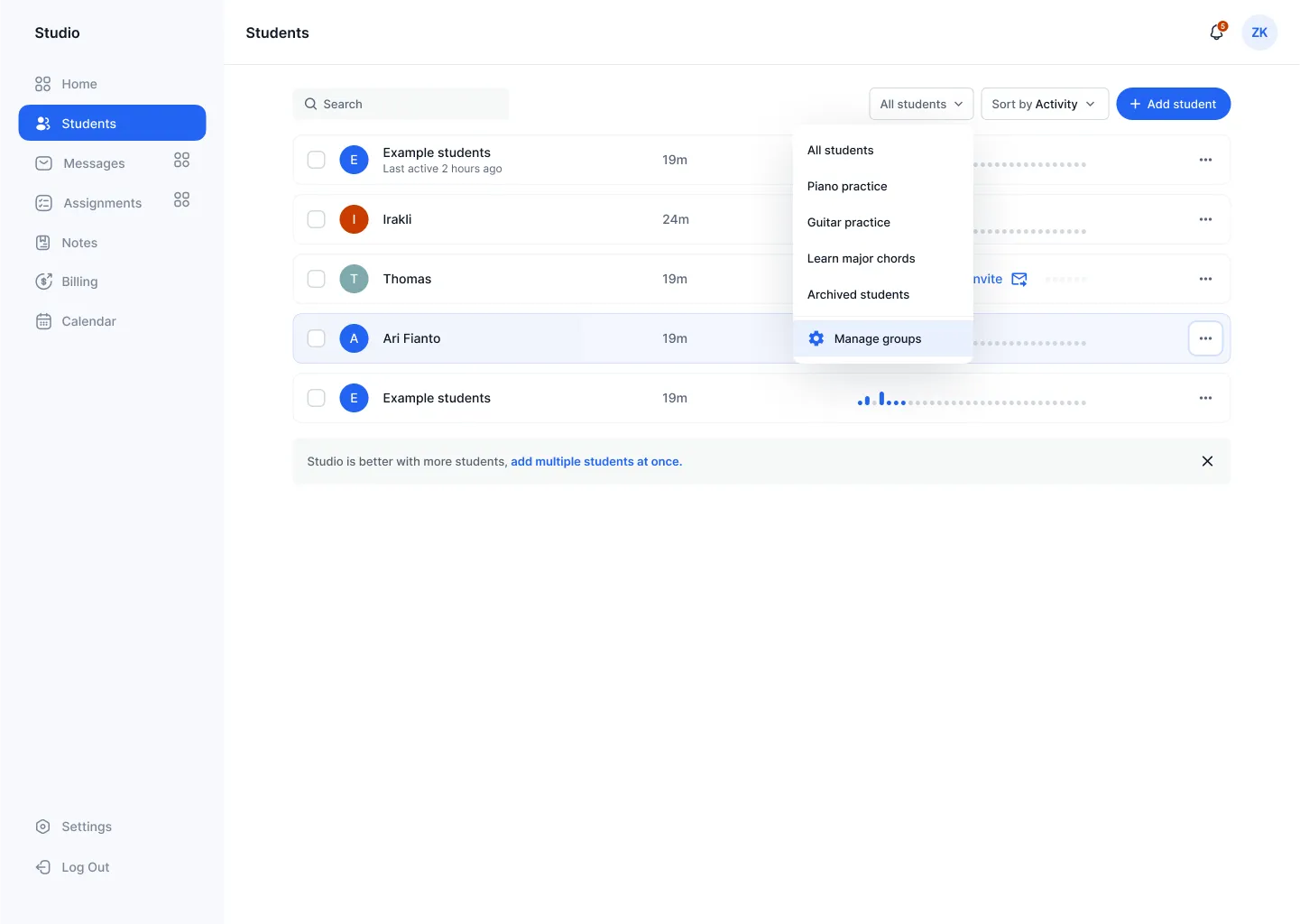
Options available for each student by clicking the "three-dot" menu:
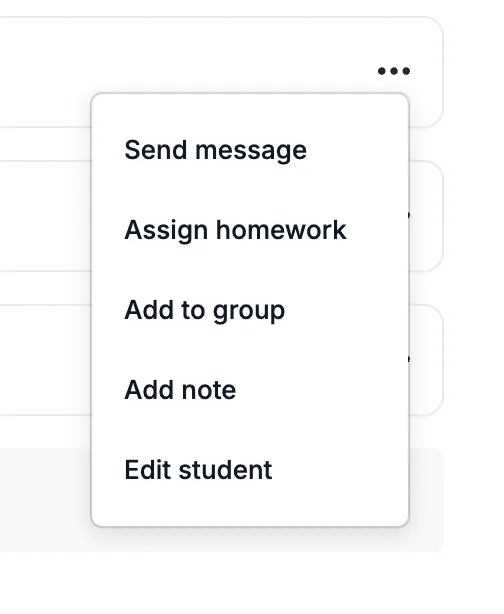
Student profile pages
- Detailed practice time charts with custom date ranges
- View and set practice goals
- Summary of assignment status
- Practice, invoice, and lesson history
Note: Only goals created by a teacher are shown here. Tap "feed" to see a visual practice history feed with commenting and liking.